Blueprint & scripts
Build without coding. Export as code.
A visual node editor compiled to Rust, an integrated code editor for Rust, C#, and Python, and a library of shareable strategies.
Backtest and export strategies to MT4, MT5, cTrader, and TradingView. 100% local, zero orders sent.
No card required · Windows 10 / 11 · Free plan with no time limit
Actual software recording: click to enlarge.
Build visually or in code, validate on years of data, export to your platform. Each module flows into the next.
A visual node editor compiled to Rust, an integrated code editor for Rust, C#, and Python, and a library of shareable strategies.
Native generation from a script or Blueprint graph. Parameters exposed as inputs.
Genetic, CMA-ES, successive halving, walk-forward, and a 0–100 robustness score.
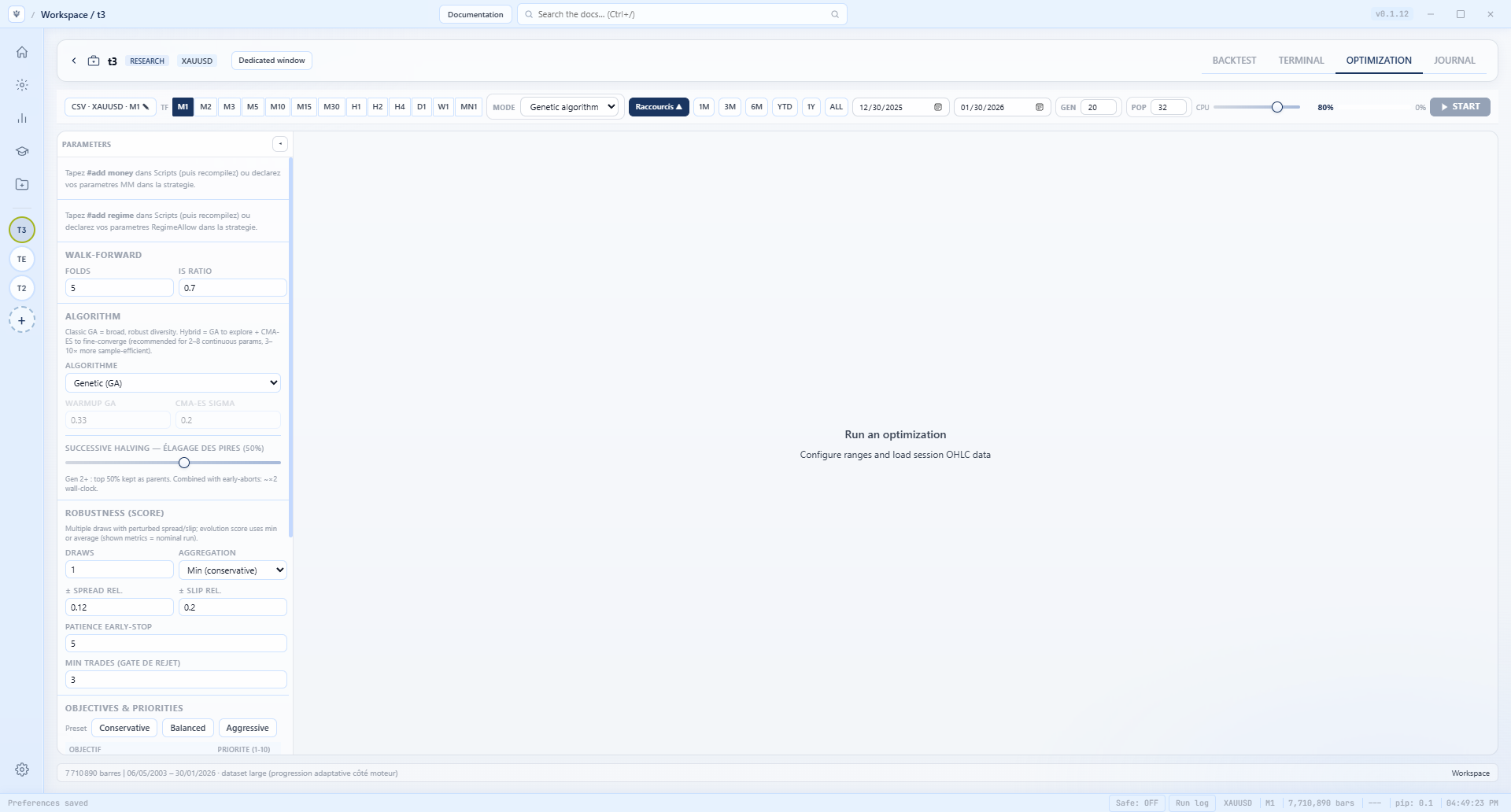
Local or external Chat AI from Free. Discovery generates hypotheses, backtests them, and iterates: 2 iterations / 1 tree on Free, 50 / 10 on Essential, unlimited on Pro.
Type #add money in a script: Risk %, max daily and total drawdown, profit target, kill-switch after consecutive losses, cooldown. The engine sizes each order from its stop-loss and stops the strategy when a limit is hit: in backtest and optimization. Available from Essential.
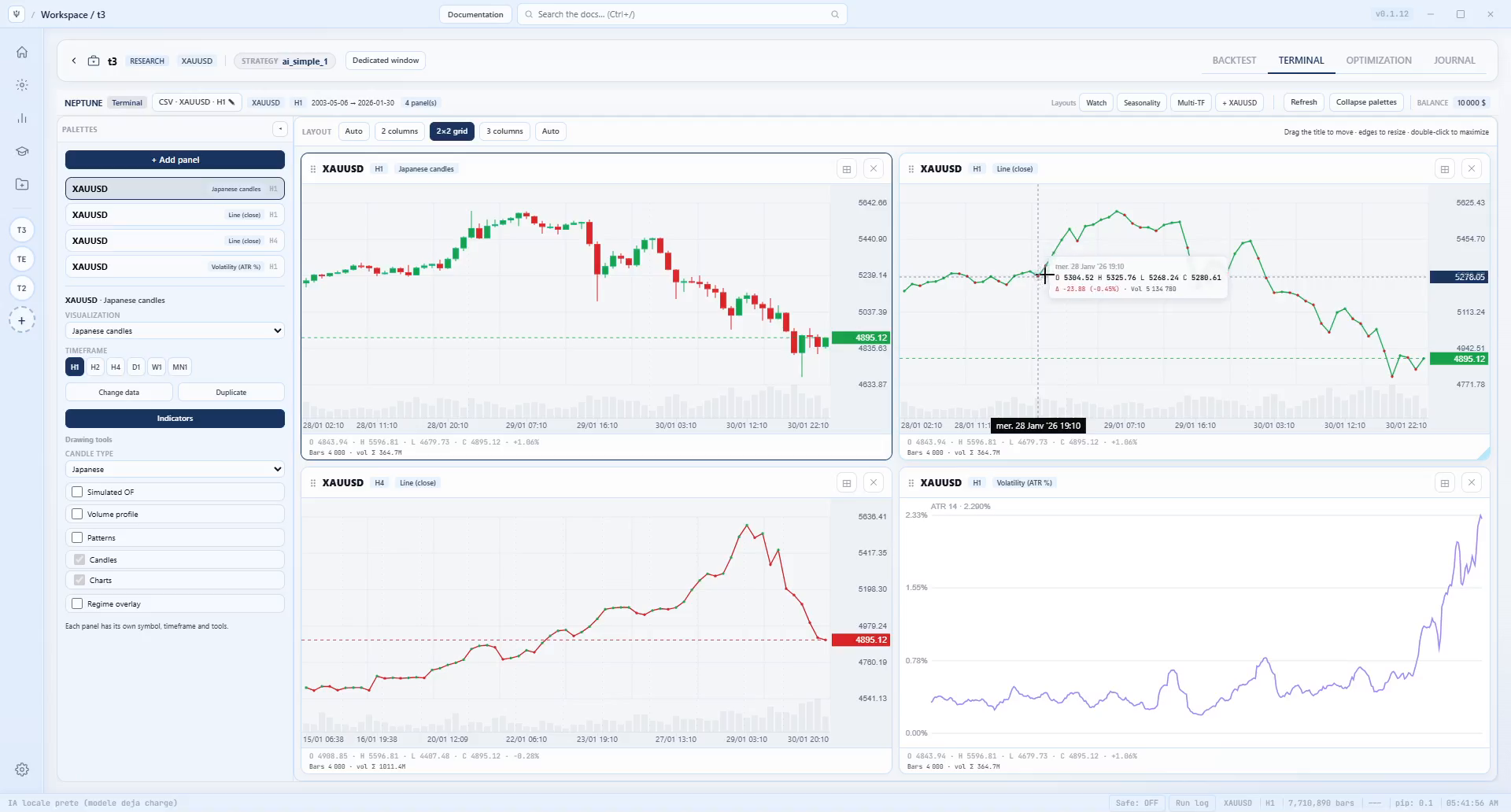
2×2 layouts, Watch, Seasonality, Multi-TF. Compare without leaving the session.
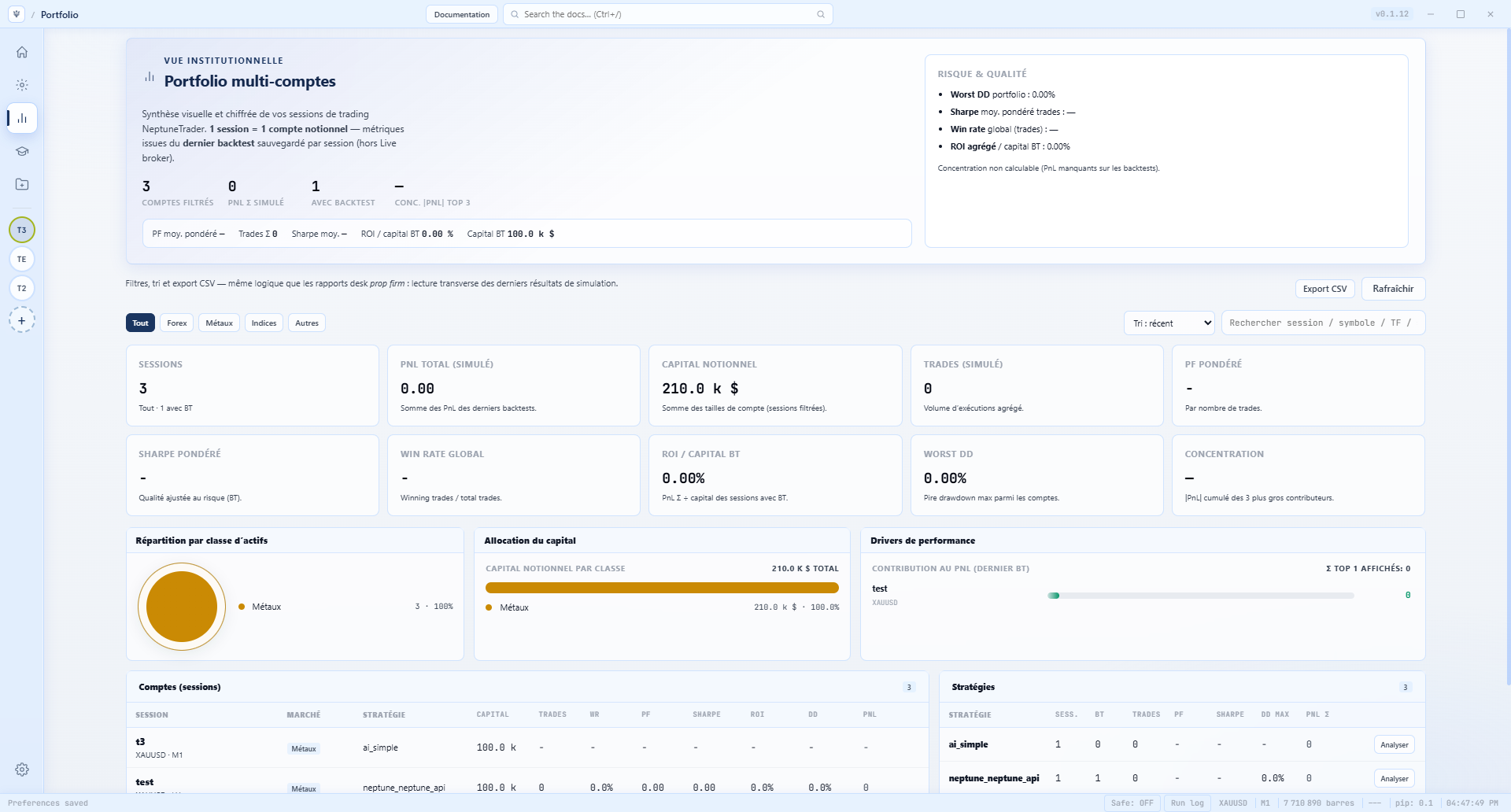
Weighted Sharpe and PF, worst drawdown, exposure, trading journal.
Your data, strategies, and models never leave your machine. Zero cloud data, zero orders sent to a broker.
Moving averages, momentum, trend, volatility, volume, structure: all computed in Rust, on the chart and in the engine. Missing one? Import it or write it in Rust, C#, or Python.
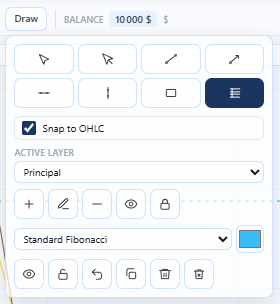
Trend, ray, horizontal, vertical, rectangle, and Fibonacci (3 level models). OHLC snapping, named layers, hide and lock.
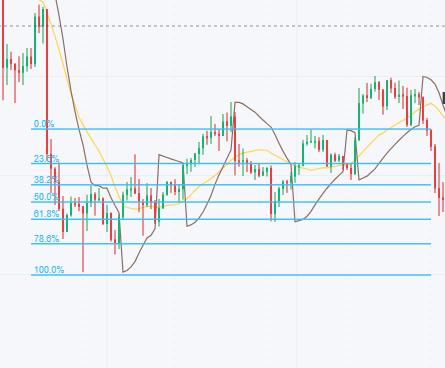
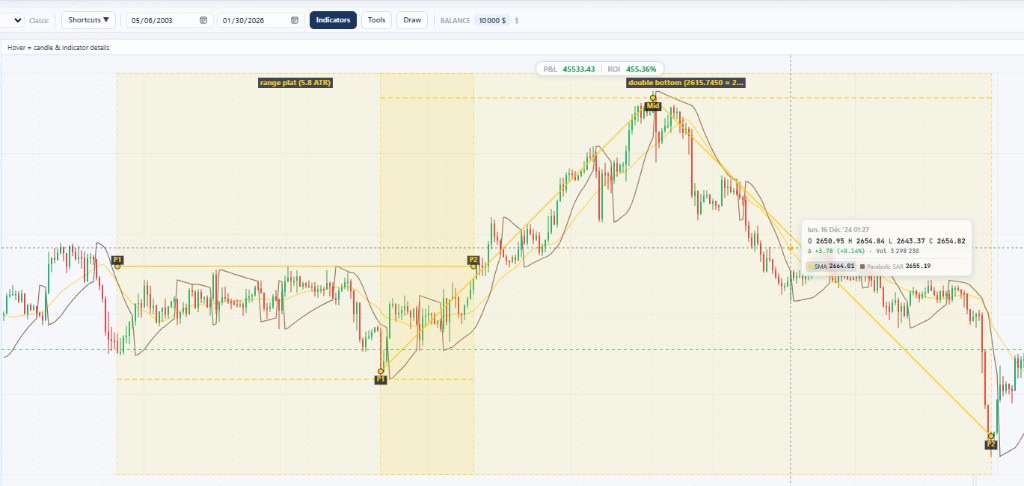
20 candlestick patterns (doji, hammer, engulfing, morning and evening stars…) and 12 chart patterns: double top / bottom, head and shoulders, triangles, wedges, flags, ATR-based flat range: marked on the chart.
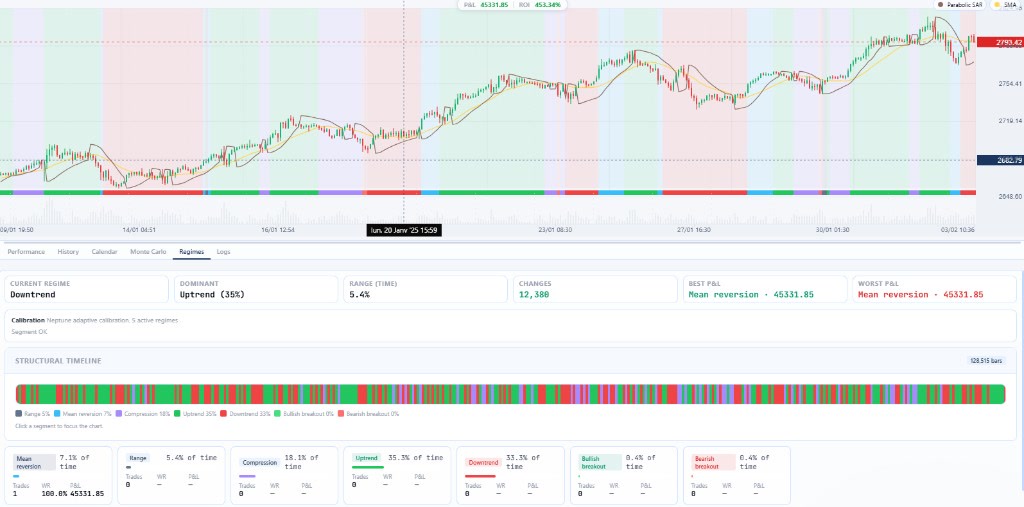
Range, mean reversion, compression, bullish or bearish trend, bullish or bearish breakout. Structural timeline, P&L by regime, and a #add regime line to trade only in selected regimes.
Bar-by-bar simulation with spread, slippage, commissions, latency, and funding fees. Same engine, same 7.7 million M1 bar series, same simple strategy: only the strategy language changes.
Measured on 09/08/2026 on Intel Core i7-13700F, Windows 11, engine v2 release build (run_backtest_v2), synthetic M1 series, strategy hosts from the app (host_rust, host_csharp, host_python). With a SMA 10 / 30 crossover and 61,361 simulated trades, the same Rust backtest takes 7.4 s (1.04 M bars / s). Times vary by machine and strategy complexity.
CSV, crypto exchanges, Yahoo Finance, or Polymarket. Data stays local.
Visual Blueprint, Rust / C# / Python scripts, or Neptune AI-assisted generation.
Bar-by-bar backtest, optimization, walk-forward, and robustness score.
Generated MQL4, MQL5, cBot, or Pine Script. Deploy on your broker or TradingView, track in Portfolio.
Neptune AI, unlimited Discovery, priority support and updates: all of Pro for 7 days. When the trial ends, continue or return to Free: nothing is charged.
Strategies, Blueprint bundles, AI models, data: the NeptuneTrader forum is open to all accounts, including Free.
Social media: find us on Facebook, Instagram, Threads, LinkedIn, and X.